What TikTok Content Can You Download with MediaDrop?
MediaDrop supports three types of TikTok content from public links:
- Short-form videos — the standard TikTok video format, from 5 seconds to 10 minutes
- Audio extraction (MP3) — extract just the audio track from any supported public TikTok video
- Slideshow / image posts — TikTok posts that use multiple still images with audio, available where the format is supported
The content must be on a public account and the post must currently exist on TikTok. Private accounts, deleted videos, age-restricted content, and region-blocked posts cannot be processed. Test any link by opening it in a browser tab where you are not logged into TikTok — if it loads, it should work in MediaDrop.
Which tool to use?
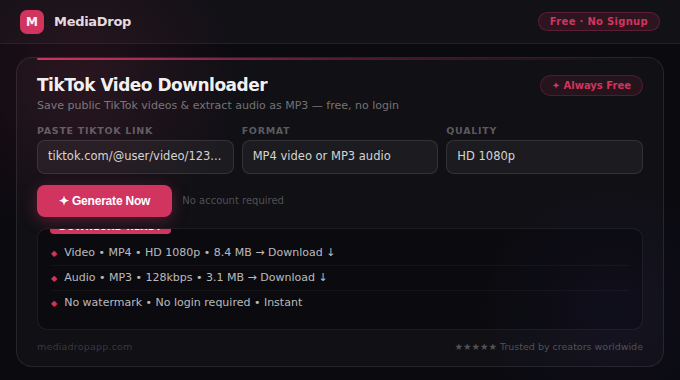
- For video downloads: TikTok Video Downloader
- For audio-only MP3: TikTok Audio Downloader
Step-by-Step: How to Download TikTok Videos
Here is the full process for saving TikTok videos on any device.
On Mobile (iPhone or Android)
- Open TikTok and navigate to the video you want to save.
- Tap the Share button — the right-pointing arrow on the right side of the screen.
- Scroll the share options and tap Copy Link.
- Open your browser (Chrome, Safari, Firefox) and go to mediadropapp.com/tiktok-video-downloader.
- Tap the input field and paste the TikTok link.
- Tap the Download button and wait 3–10 seconds.
- When the download result appears, tap to save the file to your device.
On Desktop
- Go to TikTok in your browser and open the video.
- Click the Share button and select Copy Link. You can also copy the full URL from the address bar — both formats work.
- Go to MediaDrop TikTok Video Downloader.
- Paste the link and click Download.
- Right-click the result and choose Save link as... to save the MP4 file.
Downloading Audio Only (MP3)
If you only want the background music or speech from a TikTok video:
- Copy the TikTok link using the same steps above.
- Go to TikTok Audio Downloader instead of the video downloader.
- Paste the link and click Download.
- Save the MP3 file to your device.
This is useful for saving trending TikTok sounds, extracting speech from tutorial videos, or keeping audio from your own TikTok posts.
Why Some TikTok Videos Do Not Download
Most failures have one of these causes:
Private account or restricted video
TikTok accounts set to private restrict all content to approved followers only. No external tool can access private content. Verify by opening the link in a browser without logging into TikTok — if it shows a login prompt, the content is private.
Video deleted by the creator or TikTok
If the creator deleted the video, or TikTok removed it for a policy violation, the URL no longer points to accessible content. The only resolution is finding another copy elsewhere.
Age-restricted content
TikTok marks some content as suitable only for users aged 18+. These restrictions are enforced at the platform level and prevent access without a logged-in age-verified account.
Incorrect or incomplete link
TikTok links sometimes get truncated when copied from notifications or DMs. Always copy the link using TikTok's Share → Copy Link function directly within the video. Avoid copying from the browser address bar on mobile as TikTok's mobile web URLs can sometimes differ from the app's share URLs.
Regional restrictions
Some TikTok content is geo-restricted to specific countries by the creator or by TikTok's regional content policies. If a link works for one person but not another, regional restrictions may be the cause.
Temporary platform issues
TikTok occasionally experiences API changes or temporary service disruptions that affect download tools. If a link fails unexpectedly, try again after a short wait. Read Why Some Video Links Do Not Work for a complete troubleshooting guide.
TikTok Watermarks: What You Need to Know
TikTok's built-in save feature (the native download button in the app) adds a watermark containing the creator's username and the TikTok logo to downloaded videos. This watermark is part of TikTok's content attribution system.
When you download via MediaDrop from a public link, you are accessing the video as it exists on TikTok's public servers — the same way a browser views the video when you watch it. The watermark behaviour depends on how TikTok serves the content in its public feed.
Important note on watermarks and redistribution: regardless of watermark status, posting someone else's TikTok content to another platform without permission and attribution is generally a copyright violation and against most social media platforms' terms of service. Always credit original creators when sharing or referencing their content.
Responsible Use of Downloaded TikTok Content
TikTok is a creator economy platform — every video represents work by a creator. Downloading content carries responsibilities.
Appropriate use cases
- Saving your own TikToks: This is the most common reason people use TikTok downloaders. Your own published content is yours to save.
- Research and inspiration: Studying successful videos in your niche helps you understand what works. Downloading for private reference is generally fine.
- Educational use: Saving tutorial content for later personal reference, where you would not otherwise be able to watch it, is a typical personal use case.
- Archiving with permission: If you have explicit permission from a creator to save and archive their content, downloading is appropriate.
Uses that require permission or are generally not appropriate
- Reposting someone else's TikTok to another social media account without credit and permission
- Using a creator's video in paid advertisements or commercial content
- Redistributing downloaded content with the audio removed (to avoid music licensing), which changes the work
- Downloading and republishing content in bulk from creators who have not given permission
Read Is It Legal to Download Social Media Videos? for a full discussion of the legal considerations around downloaded social media content.
Related MediaDrop Tools for TikTok Creators
If you are a TikTok creator, MediaDrop has a full suite of free tools to help you grow beyond just downloading content:
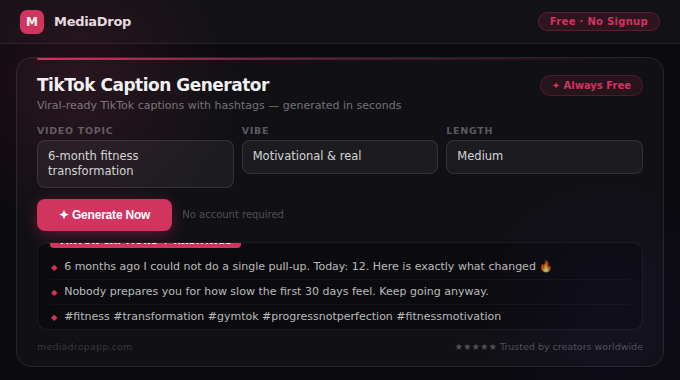
- TikTok Caption Generator — create short, punchy captions that boost views
- TikTok Hashtag Generator — find the right hashtags for any video topic
- TikTok Script Generator — write complete video scripts with hook, body, and CTA
- TikTok Bio Generator — create a profile bio that converts viewers to followers
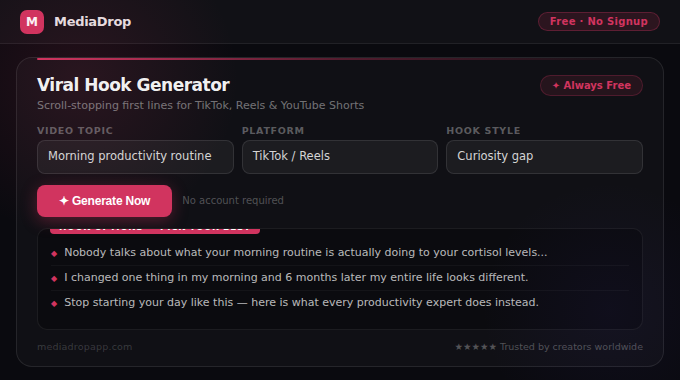
- Viral Hook Generator — generate scroll-stopping first lines for any content topic
Conclusion
Saving TikTok videos and audio is fast and straightforward with the correct process: copy the link using TikTok's share button, paste it into the appropriate MediaDrop tool, and download the file. Most failures are caused by private content, deleted posts, or incorrect links — all of which have clear fixes.
Use downloaded content responsibly. Respect creator rights, give attribution when sharing, and use downloads primarily for your own content, legitimate research, or personal reference. MediaDrop exists to make content management easier — not to enable copyright violations.