The AI Content Creation Workflow
Effective AI content creation follows four stages: Plan (generate content ideas and a monthly calendar), Script (write video scripts and caption drafts), Optimise (generate hashtags, titles, and descriptions), and Humanise (personalise AI output with your voice and specific details). Each stage is significantly faster with AI than without — but the final content still reflects your unique perspective and knowledge. AI removes the mechanical work; your creativity and authenticity remain the differentiating factor.
The typical time investment before AI: planning content (2 hours/week), writing captions and scripts (4 hours/week), hashtag research (1 hour/week), generating thumbnails and visuals (2 hours/week). Total: approximately 9 hours per week. With AI tools, this entire workflow takes 2–3 hours per week for the same or greater output volume.
Step 1: Plan Your Month in 30 Minutes
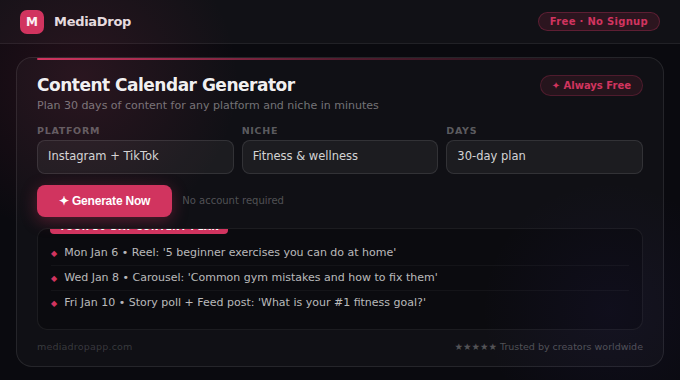
Start every content month with a planning session. Use the Content Calendar Generator to input your niche, platform, and posting frequency, and receive a 30-day content plan with specific post topics, formats, and content types for every posting day. The generator ensures your calendar includes the right mix of educational, entertaining, and promotional content across the month.
For additional idea depth, use the Niche Content Ideas Generator to generate 20–30 specific post concepts for your exact niche. This gives you a reservoir of ideas to draw from when the calendar topic needs a specific angle or you want to swap one planned post for something more timely.
Planning in advance eliminates decision fatigue and ensures you never scramble for ideas the day you need to post. A planned creator posts more consistently than an unplanned one — and consistency is the single strongest predictor of social media growth.
Step 2: Script and Caption All Content at Once (Batching)
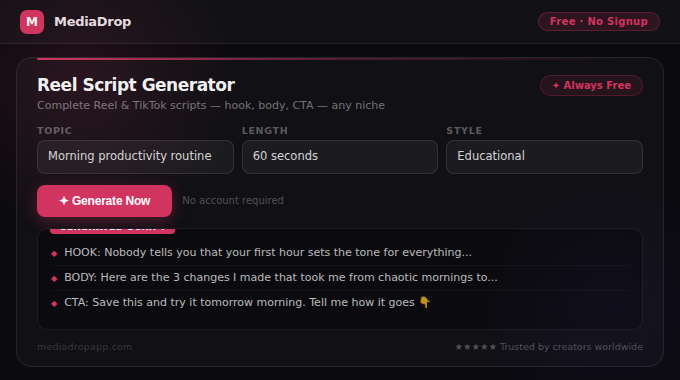
Once your monthly calendar is set, batch all your scripting and caption writing in one or two sessions rather than doing it day by day. Open the relevant script generator for your platform — TikTok Script Generator, YouTube Script Generator, or Reel Script Generator — and generate scripts for 5–7 videos at a time.
For caption writing, use the AI Caption Generator to produce 5 caption options for each planned post. Save the best option for each post in your content management document. For LinkedIn and Facebook, use the dedicated LinkedIn Post Generator and Facebook Caption Generator which are optimized for those platforms' specific audiences and formats.
After generating scripts and captions, personalise each one before using it. Add your specific numbers, real experiences, niche references, or personal stories. This personalisation step — which takes 2–5 minutes per piece of content — is what separates creators whose AI-assisted content feels authentic from those whose content feels generic.
Step 3: Optimise Every Post with AI
After creating content, use AI to maximise its discoverability. For Instagram posts, use the Instagram Hashtag Generator to get a strategic mix of hashtags sized for your content topic and niche. For TikTok videos, use the TikTok Hashtag Generator to find the 3–5 most effective tags for each video.
For YouTube, this step has the highest SEO impact. Generate your title with the YouTube Title Generator to ensure your target keyword is in an optimal position with the right CTR elements. Write your full video description using the YouTube Description Generator — include keywords, timestamps, and CTAs in the correct structure. Add tags using the YouTube Tags Extractor.
Step 4: Use AI for Visual Content
For image-based content, AI visual tools eliminate the design bottleneck. Use the AI Post Image Generator to create custom social media images from text descriptions — useful for quote cards, promotional posts, and aesthetic feed content when you don't have a relevant photo. Use the Background Remover to create clean cutouts for thumbnails and Canva designs. Use the Thumbnail Enhancer to make extracted video frames more visually compelling for YouTube thumbnails.
For Twitter/X and LinkedIn, the AI Carousel Maker generates complete multi-slide carousel posts — writing the copy and rendering the slides as downloadable images — in under 2 minutes.
The Golden Rule: AI Drafts, You Publish
The most important principle in AI-assisted content creation is that AI handles the first draft — you determine the final output. Every piece of AI-generated content should pass through your own knowledge and voice before it reaches your audience. Add your specific numbers, real experiences, unique opinions, and authentic personality to every AI-generated draft.
Audiences follow people, not AI. The creators who use AI most effectively are those who use it to remove the mechanical friction from content creation while ensuring their content still reflects their unique perspective and genuine expertise. AI makes you faster. Your authenticity makes your content worth following.